Need Some Help?
If you need further information about purchasing commercial downloadable software, before or after ordering, please read our Questions and Answers. Please also refer to our Terms of Sale. If you need to remove software, please contact our support team from the Contact Us page.
0 Reviews
$59.00
$99.00
Save 40%
Windows 11 Professional [UPGRADE]
includes a 1-PC upgrade license
Offer Ends
Need Some Help?
If you need further information about purchasing commercial downloadable software, before or after ordering, please read our Questions and Answers. Please also refer to our Terms of Sale. If you need to remove software, please contact our support team from the Contact Us page.
+ login to earn points
Similar Software
$139.99
$319.98
Save 56%
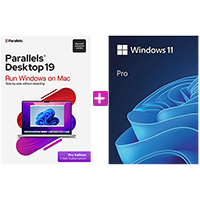
Parallels Desktop for Mac Pro 26 + Windows 11 Professional [BUNDLE]
$129.99
$298.99
Save 57%
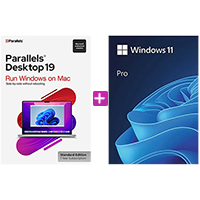
Parallels Desktop for Mac Standard 26 [1-YR] + Windows 11 Professional [BUNDLE]
$49.99
$139.99
Save 64%
Windows 10 Home
$59.99
$199.99
Save 70%
Windows 10 Professional
$59.99
$139.99
Save 57%
Windows 11 Home
$79.99
$199.99
Save 60%
Windows 11 Professional
Frequently Asked Questions
Find quick answers to the most common questions about Windows 11 Professional [UPGRADE]
Do I need to an activated Windows 11 Home to upgrade?
Yes — a Windows 11 Pro upgrade license is designed to move you up from an activated Windows 11 Home.
Is it easy to upgrade from Windows 11 Home?
Yes — although all instructions are provided with the order, you simply go to System > Activate > Change Produc Key and the process will take minutes to update to Professional and add additional Pro features.
How is the software delivered?
Your product key is delivered digitally via email shortly after purchase, along with simple activation instructions.
What happens if the upgrade doesn’t work?
If you experience any issues, our support team will assist you quickly to resolve the problem.
What’s the difference between Windows 11 Home and Pro?
Windows 11 Home is designed for personal use, while Pro includes additional features such as BitLocker encryption and remote desktop access — you can learn more in our Windows 11 Home vs Pro comparison guide.
Write a review
Latest News
PCWorld helps you navigate the PC ecosystem to find the products you want and the advice you need to get the job done.
Windows
29 July 2026
Windows 11’s optional July update speeds up the Start menu and taskbar
Windows 11 preview update KB5101684 speeds up the Start menu and taskbar, improves File Explorer, and rolls out more Secure Boot certificates.
Security Software and Services, Windows
29 July 2026
Still don’t have updated Windows Secure Boot certificates? Don’t panic
Microsoft says the Secure Boot certificate rollout is still ongoing and may take a few more months. Here's what you should do.
Security Software and Services, Windows
29 July 2026
Windows BitLocker is fine. I still don’t trust it with everything
BitLocker may have vulnerabilities, but I’m still recommending it (and its Device Encryption derivative) to users.
Windows
28 July 2026
A Microsoft outage blocked Windows updates. Now a fix is being tested
Microsoft is testing changes to how Windows Update schedules and installs patches, following a widespread outage that exposed flaws.